BroadCam Video Streaming Software Stream & Broadcast Videos over the Internet - Add live or recorded video to your website
- Broadcast webcams and other video inputs
- Video streams play in all popular browsers
 BroadCam allows you to stream videos from your PC. To record streaming videos, webcams, computer screens, and other devices, try Debut Video Capture Software. | 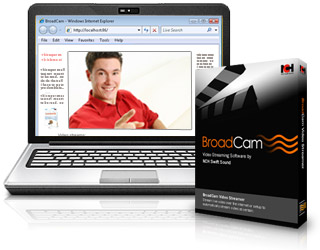
Download Now Buy BroadCam Pro |
Streaming Video Features - Stream video from your computer
- Host any number of pre-recorded video files
- Stream videos from all popular video file formats
- Connect a webcam or network IP camera as the stream source
- Supports video streaming such as motion jpeg (m-jpeg)
- Video streams can be viewed from any web browser with a Flash plugin or in Windows Media Player
- Invite a select list of viewers to watch your video streams
- Add a watermark to your live video streams*
- Display alternate banners with a custom link URL to promote your company or generate advertising income*
- Pre-record video for broadcast with Debut Video Recorder
* Professional version only
| Viewers Can Watch With One Click BroadCam handles everything including the stream compression, format and serving over the Internet. Video streams will play in the default web browser on any Windows, Mac or Linux computer, as well as any iPhone and iPad. The viewer simply needs to click play. Get it Free. A free version of BroadCam is available for non-commercial use only. The free version does not expire and includes most features. If you will be using BroadCam at home you can download the free version here |
|
A Great Business or Education Tool BroadCam is ideal for companies who broadcast video announcements. Lecturers and teachers can also easily set up video broadcasts of video content or classes on their class webpage, or email invitations for students to watch streamed video content. |  |
System Requirements - Windows 7/8/8.1/10/11
- See Win 98, Win 2000 and Win XP/Vista to download software compatible with earlier versions of Windows.
- Minimum 128 kbps broadband Internet connection
Viewer System Requirements To watch BroadCam video streams, viewers need either a web browser with the Flash plugin installed or Windows Media Player. Download BroadCam Video Broadcast Software Purchase BroadCam Streaming Video Software | Works with other NCH Software |
|


