NCH Swift SoundDownload Golden Videos VHS Conversion Software
Home | Download | Support | Products | SiteMap  


Golden Videos VHS to DVD Converter

Convert VHS tapes to DVD, avi or mpeg files

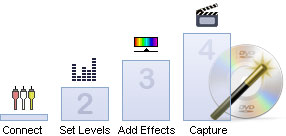
Golden Videos is software that helps you to convert your VHS tapes onto DVD or to avi or mpeg files. It is designed specifically with VHS video cassettes in mind and has been developed to make the conversion process as easy and intuitive as possible. Just install the software and follow the step-by-step wizard.

This software does more than just rip video from VHS cassettes. Also included are a number of image restoration tools that can be automatically applied to the video cassette that is being converted as it is being saved to a avi or mpeg file. Once your tracks have been converted you can burn them straight to CD with Golden Videos' own CD Burner, include your favourite moments is a slideshow using PhotoStage Slideshow Creator or convert it to a format suitable for a portable device, like an iPod with with Prism Video Conversion Software.

Golden Videos is completely free

A full list of Golden Videos VHS Converter's features follow, but a quick way to try it out is to download and install now. It only takes a couple of minutes to complete the process (click here to install).

Click here to Download Golden Videos

Download Now

Click here for more Screenshots
More Screenshots >>>
 
Features

  • Converts and digitally restores VHS tapes to DVD, avi or mpeg files.
  • Simple intuitive wizard takes you step-by-step through the conversion process.
  • Includes full feature DVD burning software to record DVDs after the VHS to DVD wizard runs.
  • Automatically detects the end of the video so you don't need to wait and watch.
  • Add captions to the video if required.
  • Adjust and correct color.
  • Automatically correct defects in the video quality and improves the quality of the image.
  • Add effects like sepia, black and white etc.
  • Easy and intuitive to use.
  • Golden Videos is completely free.
System Requirements

  • Windows 98/2000**/XP/2003/Vista
  • Pentium IV or Athlon XP
  • Video capture device, we recommend USB Capture device.

**98/2000 must have DirectX 8 Installed

Download Golden Videos Software

This software can be downloaded by clicking on one of the following links:

Once download is complete run the file "gvsetup.exe" to install. When the file has installed, please select Help to view (or print) the complete manual.

More Information...

 
Application Title
Introduction
Features
System Requirements
Download
Screenshots
Questions (FAQs)
Technical Support
 
 
Related Software
Slideshow Creator
CD Label Software
Video File Converter
DVD Burner Software
Vinyl Record Converter
Audio File Converter
Streaming Video Capture
Video Surveillance
More Video software...
More Conversion software...
 
 
Recommended Hardware
USB Video Capture Device


  © NCH SoftwareTop | Home