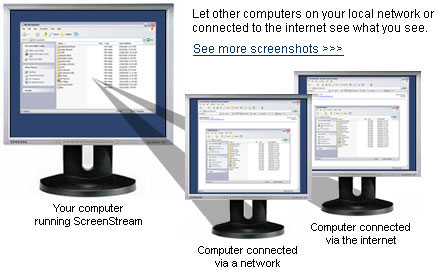
ScreenStream Screen Broadcasting Software Broadcast your screen for presentations and training sessions - Let others watch your screen from their own computer.
- Watch from over the internet or a network.
- A great modern equivalent of the overhead projector.
- Turn On Screen Sharing
Just open ScreenStream and click a button to turn on screen sharing. You're now ready to share your screen with others. - Begin Watching Someone's Screen
Just type the link address (and optional access code) provided by the person who's screen you are watching into your internet browser. You can now watch their screen. - Stop Screen Sharing
To stop sharing your screen, open ScreenStream and click the button to turn off screen sharing. Others can no longer watch your screen.
One of the main advantages of ScreenStream is that the viewers do not need to install any special software to view your screen. They just open it directly with their normal internet browser. It is also supports optional streaming audio so others can hear what you are saying. ScreenStream is easy and intuitive to use. We make this software free in the hope that they will try our other business and communication utilities. |  Download Now Download Now |
 | Features - Runs in the background and captures your screen while in any other program
- The image can be viewed by anyone with using an ordinary web browser (from any type of computer).
- The screen can be viewed by users with Windows, Mac or Linux computers.
- Optional access code can be set to secure the connection.
- Optional audio streaming lets others listen as you speak.
- Perfect for desktop screen sharing or application sharing.
- The number of viewers is almost unlimited (the only limit is the size of your bandwidth).
- Installs and runs in just minutes.
- Very simple user interface.
|
|
System Requirements For the Computer Running ScreenStream For any computer viewing ScreenStream - Any computer (Windows, Mac or Linux). Almost all computers made since 1996 will work.
- An Internet Browser (eg. Internet Explorer, Safari, Firefox etc.).
Download Screen Streaming Software |