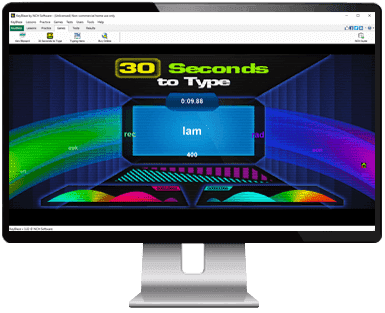
KeyBlaze Typing Tutor Software Learn to Touch Type, Complete with Typing Games  Lessons for EveryoneImprove speed and accuracy  Learn Touch TypingBecome more productive instantly  Typing GamesFun way to test your skills  Practice ExercisesDrills, prose, poems and more  Increase Typing SpeedDiscover your WPM, then improve  Master the 10 Key PadLessons and training  The easiest typing tutor software available today for anyone to quickly learn speed typing, 10-key and touch typing. - Perfect for people of all skill levels
- Improve and test your typing speed and accuracy
- Learn to type effectively and efficiently in no time
- Improve your typing to improve your résumé
| KeyBlaze is an easy, fun and effective way to learn how to type or improve your typing skills. It starts with basic lessons on the home keys and neighboring keys, then continues with capitalization, punctuation and numbers. It also includes practice lessons using poetry, prose, and problem keys, and advanced typing tests.
Get it Free. Download the free version of KeyBlaze here to improve or start learning how to type now. You can always upgrade later for additional typing lessons, professional exercises and other custom features. |
 Don't get left behind.
Improve your typing and get ahead of the curve.
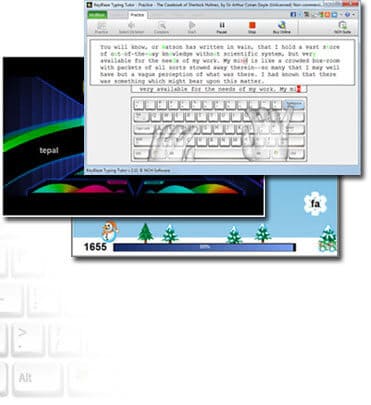
| Touch Typing Tutor Features - Typing lessons for home keys, neighbor keys, capitalization, punctuation, numbers and more
- Practice exercises include drills, prose, poems and more
- Typing games included, a fun way to improving typing skills
- Dictation audio exercises for transcription practice
- Initial skills test to determine current level
- Test typing skills at various interval durations
- Calculates net and gross words per minute WPM
- Keyboard highlighting shows correct finger placement
- Identify troublesome words & characters needing more practice
- Import custom lessons, drills, and speed tests
- Set personal words per minute speed goals
- Printable course completion certificates
- 10 key number pad lessons
- Quick and easy operation
|
System Requirements - Windows 7/8/8.1/10/11
- See Win 98, Win 2000 and Win XP/Vista to download software compatible with earlier versions of Windows.
- macOS 10.5 or above
Purchase Typing Tutor with Typing Games | Download KeyBlaze Typing Tutor |
|