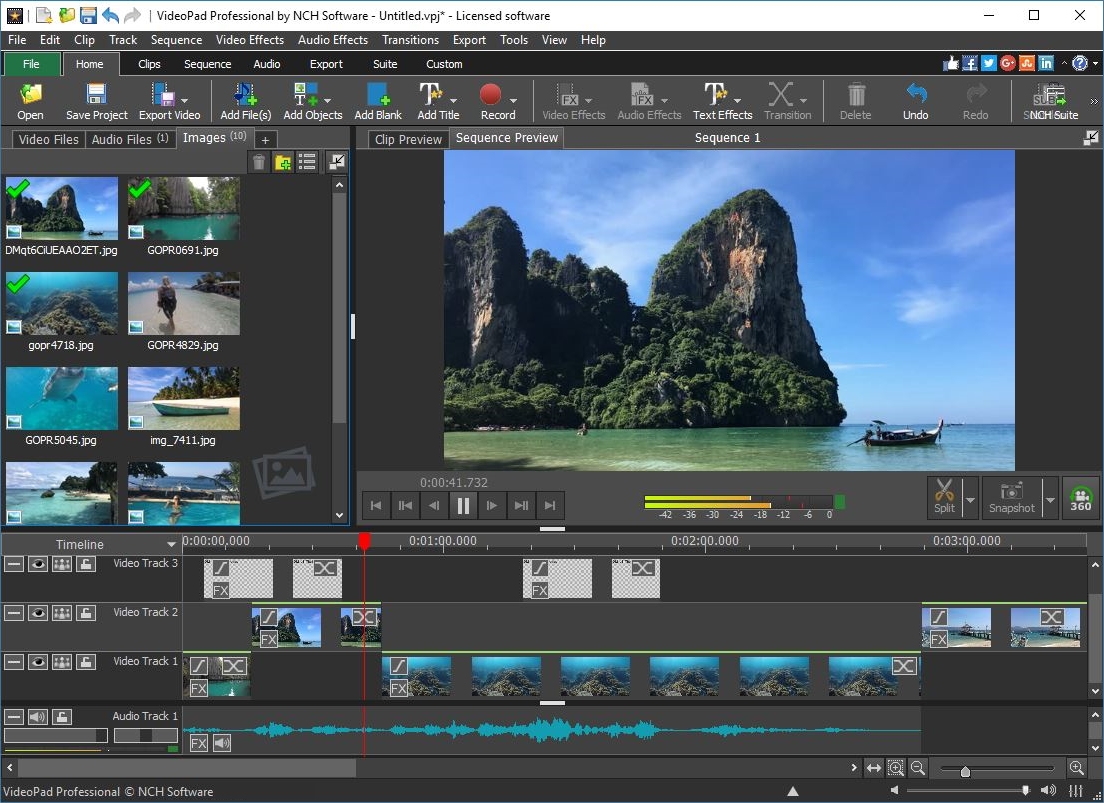
This full-featured video editor lets you easily create your very own professional looking videos, complete with transitions, music, narration and subtitles.
Make the most of your captured memories with VideoPad Video Editor. Easily cut, paste and piece together your footage and create an enjoyable movie for friends and family to see.
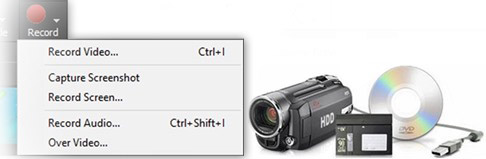
Capture Video From Camcorders and Other Video Devices
Load a variety of video file formats from different sources. VideoPad can capture video from:
DV based camcorders
Hard disc drive camcorders
Webcams
DVD and CD discs
... and just about any other device connected to your computer.
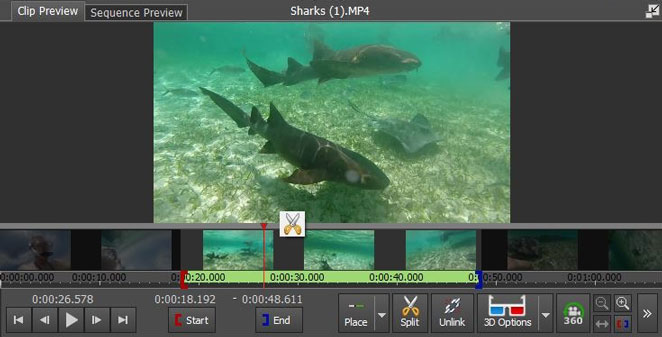
Cut the boring sections out of your video clips
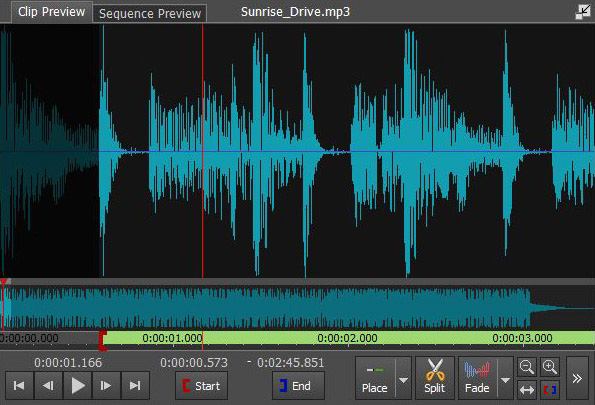
Simply drag the red and blue in-point and out-point brackets on the clip previewer to adjust the start and finish of your video
Use the 'Split Clip' tool to cut a long video file into shorter clips by dragging the red cursor to the point you wish to split and clicking on the scissors icon to split them into two distinct video clips
Use the 'Save as new Clip' tool to extract sections out of a long video file
Easy to use sequence makes editing a breeze
View your clips in Storybook or Timeline mode, and optimize the time you spend navigating through clips on the sequence.
The easy-to-use controls let you scroll, zoom, cut and trim your clips quickly and easily.
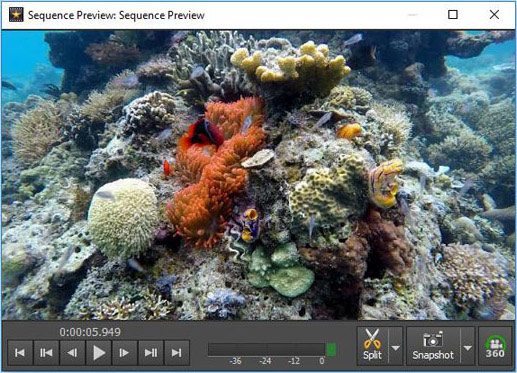
Use the Snapshot feature to extract still images from your video for use in your movie or to save onto your computer
Undock the preview window into an independent window to make your video editing station fast and efficient
Audio Editing
You can easily add audio to your videos such as music and voice-overs to create a truly immersive video experience
You can record audio directly into the program or use an existing sound file from an audio CD, a file on your computer or from the NCH Software Sound Library
Use the Text to Speech feature to have the words you type read aloud
Apply audio transitions such as the audio fade effect to have your music fade in or out
Apply audio effects such as chorus, distortion, echo, reverb and more to get the most out of the audio in your movies
Video Effects
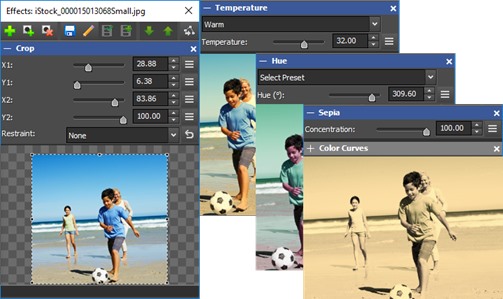
Crop your videos to eliminate unwanted backgrounds.
Rotate your video clips and zoom in on the action
Fine-tune color, temperature, and other visual effects.
Add special effects such as sepia to make your video look like an old film or black and white to make your video grayscale
Use transitions to seamlessly play multiple clips together
Add video effects plugins to step up your special effects game
Change Video Playback Speed
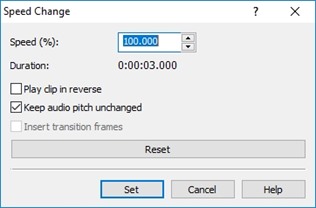
Speed up video or apply slow motion to make sequences easier to view or to add a fun effect. Reversing playback is just as easy.
To speed up or slow down a video clip, select the clip, then choose the Speed effect. This gives you the speed change options where you can adjust the speed using the slider. Anything below 100 will slow down the clip, anything above 100 will speed it up.
Video Stabilization
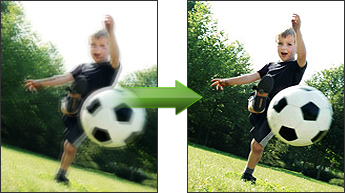
Video stabilization is a simple solution for steadying "shaky" video clips, eliminating camera shakiness that can come from panning, rotating, zooming, or handheld shooting by applying a deshaker filter.
To apply video stabilization, right click on your video clip in the Media List and select "Stabilize video(s)." Then select a location to save the new stabilized video clip.
Chroma Key
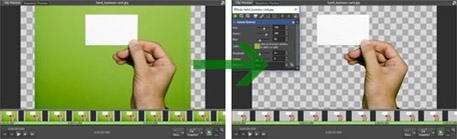
Also known as green screen video editing, you can use chroma key transparency to overlay two video clips or images together and seamlessly integrate talent into separate backdrops and videos.
Stereoscopic 3D Video
When you want to add clips already in 3D to your timeline or convert a video from 2D to 3D, VideoPad can help you share and view your movies in eye-popping 3D. Simply click the Stereoscopic 3D icon when you're ready to export your finished movie.
Video Exporting
Optimize your video masterpieces for portable viewing
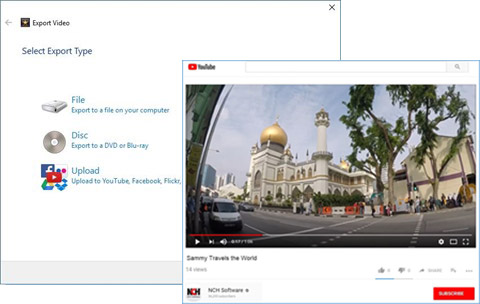
Export your finished movie in full HD to share online or save it to an external storage device
Burn your finished video project directly to disc
YouTubers and video bloggers can upload their videos directly to YouTube from VideoPad
Use VideoPad video editing software to create your own movies from various video, image and music files. VideoPad offers all the features you need to make professional looking movies, without the steep learning curve.